Most of us have dozens of online accounts, and remembering a unique, strong password for each is unrealistic. A password manager is software that creates, stores and fills in passwords for you, protected by a single master password.
Key takeaways
- A password manager keeps your logins in an encrypted vault.
- You unlock the vault with one strong master password, sometimes plus extra authentication.
- Managers can generate long random passwords and fill them in automatically.
- Reusing passwords is a major risk that managers help avoid.
- No tool is perfect, so protect the master password and keep software updated.
What is inside the vault
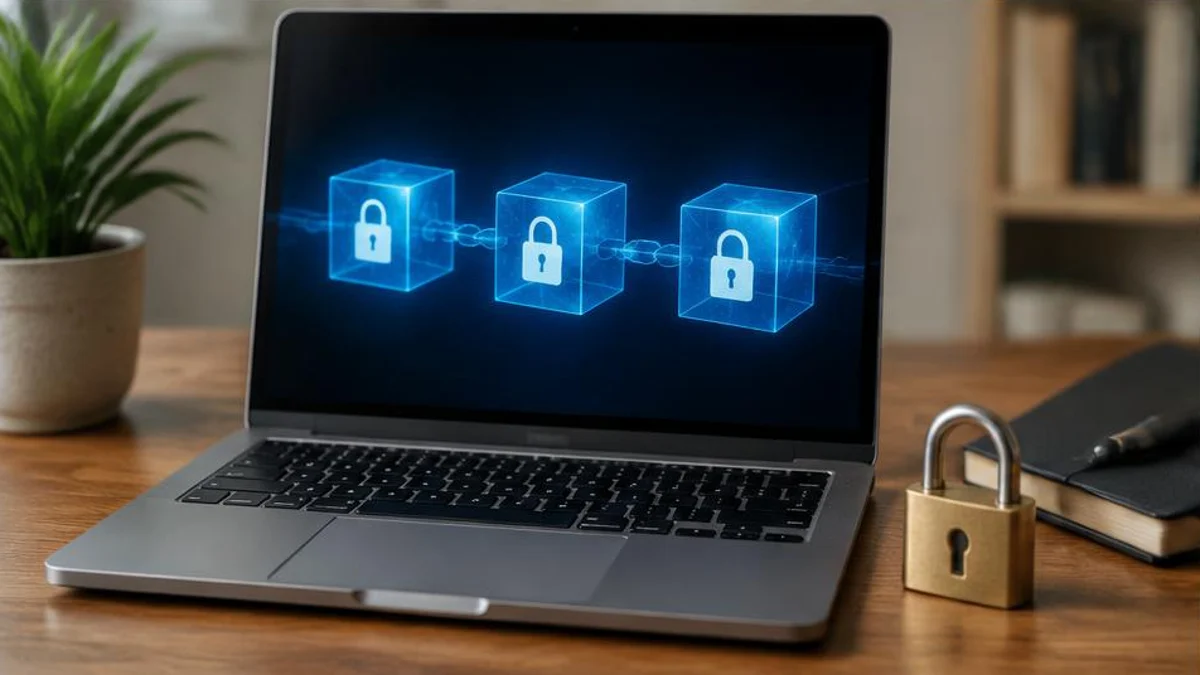
A password manager stores usernames, passwords and often other items such as notes or payment details in a database called a vault. The vault is encrypted using a key derived from your master password. Reputable services say they use a "zero-knowledge" design, meaning the company stores only encrypted data and does not know your master password, so it cannot read the vault.
Generating and filling passwords
When you create an account, the manager can generate a long, random password that is hard for attackers to guess. Because the manager remembers it for you, each account can have a different password. Browser extensions and apps can fill the login form automatically and may warn you if the website address does not match the saved one, which helps avoid phishing pages.
Why unique passwords matter
When a website suffers a data breach, criminals often try the leaked email and password combinations on other sites, a technique called credential stuffing. If you reuse passwords, one breach can unlock many accounts. A unique password per site limits the damage to one account.
The master password
The master password is the key to everything, so it should be long and unique, ideally a passphrase of several unrelated words, and never reused elsewhere. Most managers cannot recover it if you forget it, so check what recovery options exist when you set up.
Extra protection
Turn on multi-factor authentication for the password manager itself and for important accounts such as email and banking. An authenticator app or a hardware security key adds a second check beyond the password.
Built-in and standalone options
Web browsers and phone operating systems offer built-in password saving. Standalone managers often add features such as secure sharing, cross-platform support and breach alerts. Which is best depends on your devices, budget and comfort.
Are they safe?
Security experts, including national cyber agencies, generally recommend using a password manager over reusing weak passwords. Managers can still be targeted, and there have been security incidents at some providers, so choose one with a good track record, independent security reviews and regular updates.
Types of password managers
Password managers come in several forms. Cloud-based managers store an encrypted vault on the company's servers and sync it across your devices, which is convenient and allows sharing within families. Local managers keep the vault only on your device, which gives more control but needs a plan for backups and moving between devices. Browsers and operating systems have built-in managers that are easy to start with, though they may work only within one ecosystem. Hardware security keys are not password managers, but they add a second factor that is very hard to phish.
Setting one up
Getting started takes less than an hour. Choose a manager with a good track record and independent security audits. Create a long, unique master password, or passphrase, and do not reuse it anywhere. Turn on multi-factor authentication for the manager. Import your saved logins from your browser if you wish, then start changing reused or weak passwords, beginning with email, banking and anything linked to your phone account. Let the manager generate long random passwords. Many managers include a security dashboard that flags weak, reused or breached passwords.
Passkeys
Passkeys are a newer way to sign in that can replace passwords on supported sites. They use public-key cryptography. Your device keeps a private key, and the website stores only a matching public key. When you sign in, you prove you have the private key, usually with a fingerprint, face scan or device PIN. Because there is no shared secret to steal, passkeys resist phishing and data breaches. Major platforms and many password managers now support them, and the best approach for now is to use passkeys where offered while keeping a manager for other accounts.
Families and sharing
Family plans let several people have separate vaults and share selected items, such as streaming accounts or the home Wi-Fi password. Sharing through the manager is much safer than sending passwords in messages or email. Some managers offer an emergency access feature that allows a trusted person to open your vault if something happens to you. Setting this up can be an important kindness to loved ones.
Common mistakes
A few errors weaken the benefits. Choosing a weak or reused master password undermines everything. Skipping multi-factor authentication leaves the vault less protected. Ignoring breach alerts means leaving compromised accounts untouched. Storing the recovery key or emergency kit in an insecure place, such as an unprotected note, can create risk. Finally, forgetting to keep the manager and your devices updated can leave known weaknesses open.
Frequently asked questions
What if the password manager company is hacked?
If the vault is encrypted properly and you use a strong master password, attackers should not be able to read it, though you should follow the provider's advice about changing credentials.
Should I write my master password on paper?
Some people keep it in a secure place at home. The risk is physical access, so weigh it against forgetting it.
Can a manager fill passwords on fake sites?
Good managers match saved web addresses and will not auto-fill on a different domain, which can alert you to a phishing page.
What is a passkey?
A passkey is a sign-in method that uses a cryptographic key pair stored on your device instead of a typed password. You unlock it with a fingerprint, face scan or PIN. It is designed to be easier to use and much harder to steal or phish than a traditional password.
Should I use my browser's built-in password manager?
It can be a good start, especially if you use one browser and one ecosystem. Dedicated managers often offer more features, such as cross-browser use and secure sharing. Whichever you choose, use a strong device or account password and turn on multi-factor authentication.
What if I forget my master password?
Many managers cannot recover it by design, because they never know it. Some offer recovery options such as a recovery key or trusted contacts, which you set up in advance. Store any recovery information in a safe place, and consider writing the master password down and keeping it somewhere secure at home.
Sources and further reading

Written by
FactNest Editorial Team
FactNest is operated by Muonix. The FactNest Editorial Team publishes general-interest explainers with AI-assisted drafting and illustrations. Contact contact@muonix.co for questions or corrections; we respond within 2 business days.
More from this author →